|
查看: 6484|回复: 21
|
iOS 4.3.1 完美JB, Snowbreeze
 [复制链接]
|
|
|
本帖最后由 哥就是传说 于 4-4-2011 06:04 PM 编辑
分享~~~ 没有中文~~ 如果版主觉得不妥, 请撤帖 
LINK: Jailbreak for iOS 4.3.1. Sn0wBreeze
iH8sn0w has updated his Windows jailbreak tool, called Sn0wBreeze, with the untethered jailbreak for iOS 4.3.1. Sn0wBreeze is now the third tool available for an untethered jailbreak on iOS 4.3.1 (alongside PwnageTool and RedSn0w).
Sn0wbreeze 2.5 is hardly different from its last beta, except that is uses i0n1c’s untethered exploit. An added bonus is that the hidden multitouch gestures in iOS 4.3 are enabled with Sn0wBreeze. These gestures were unearthed a couple of months ago, and iH8sn0w has found a way to enable them in his latest jailbreak tool.
Sn0wBreeze is not recommended for those wishing to preserve their unlock. Again, Sn0wBreeze is Windows only.
Step 1: Download Sn0wBreeze. Also download the iOS firmware for your device. Save both files on your desktop.
Step 2: Launch Sn0wbreeze and agree to the warning by clicking OK.
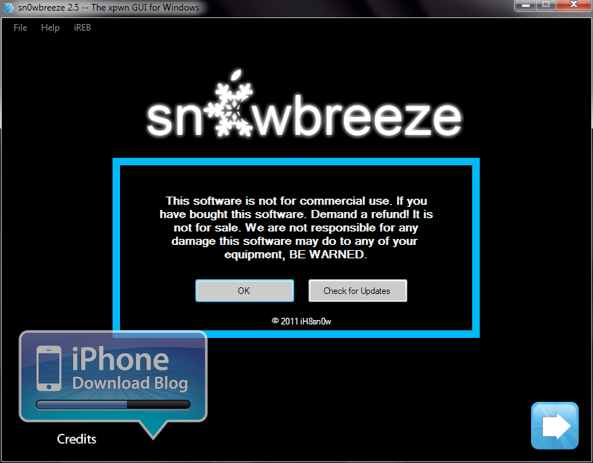
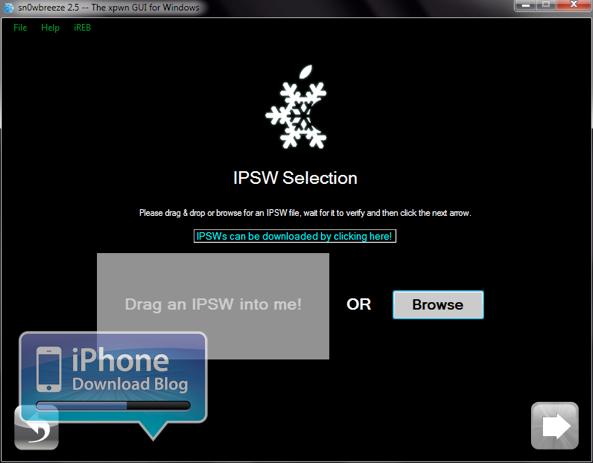
Step 3: Add your 4.3.1 IPSW file fromiTunes by either dragging it or browsing for it manually.
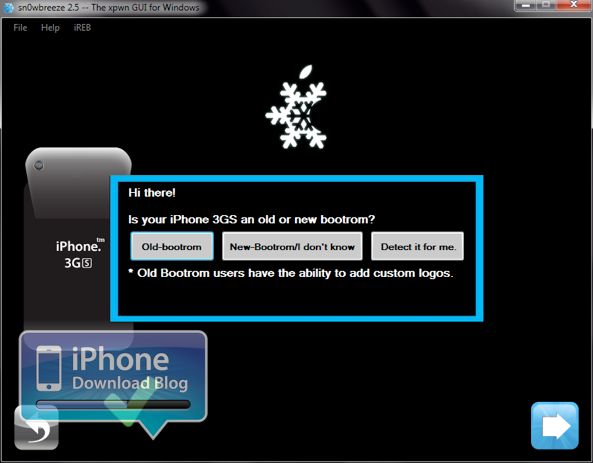
Step 4: Select your bootrom choice. If you do not know your bootrom, select either “New-bootrom/I don’t know” or “Detect it for me.” For the purpose of this tutorial, we will select the 2nd option.
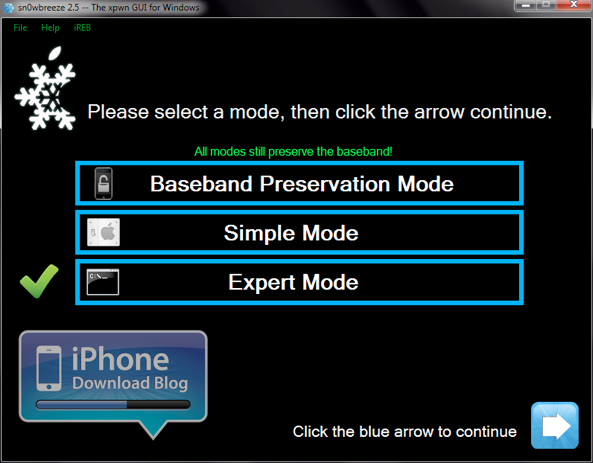
Step 5: Select “Expert Mode.”
Step 6: Select “General”
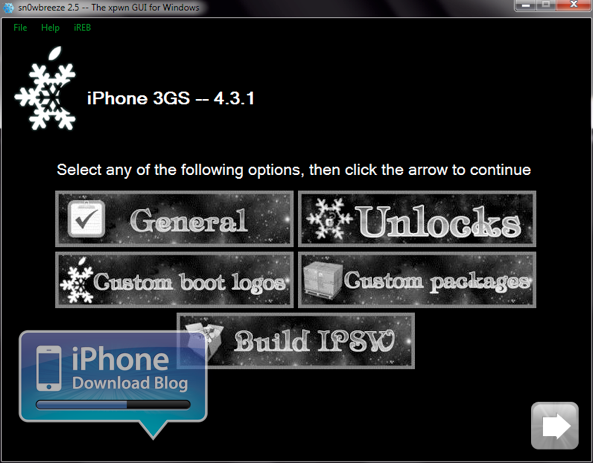
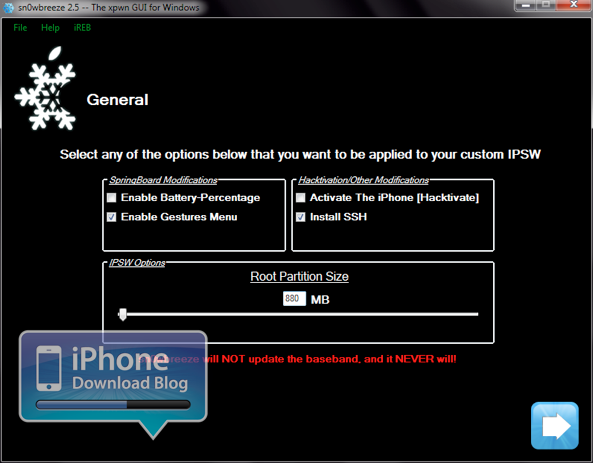
Step 7: Make sure to “Enable Gestures Menu” to unlock the hidden mulitouch gestures. We also recommend installing SSH. For the purpose of this tutorial, we will not select the activate option. If you are on an official carrier (ex: AT&T in the U.S.), you don’t need to worry about activating. Allocate about 880 MB of space for your partition.
Step 8: In the custom packages option you can pre-install Cydia packages to be built into your custom IPSW file. For the purpose of this tutorial, we will not install any extra packages.

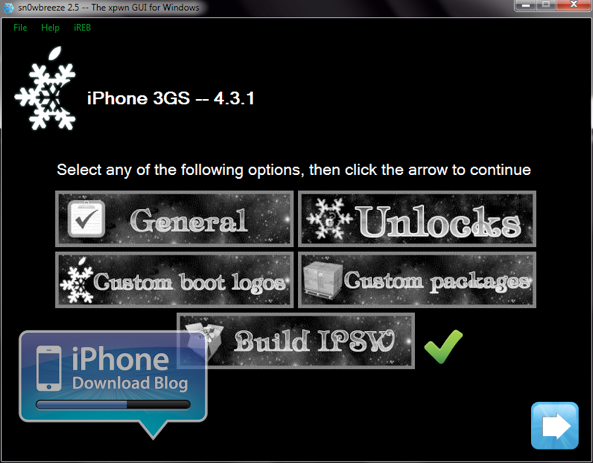
Step 9: Once you have fully customized your IPSW, click the “Build IPSW” option.
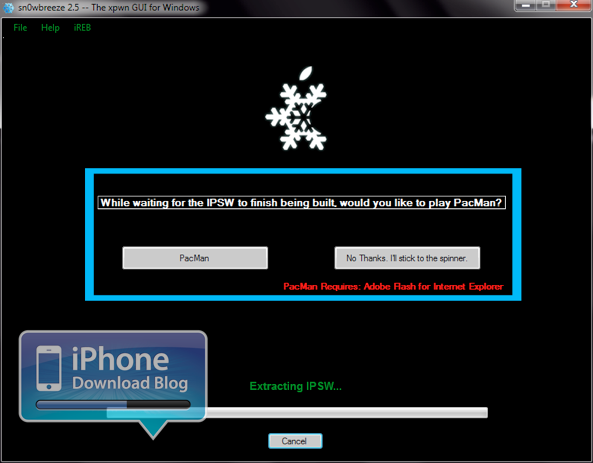
Step 10: Once Sn0wBreeze has built your IPSW (you can play a little PacMan while you wait), you will now have the custom firmware file needed to restore and jailbreak your iPhone.
Step 11: Follow the instructions for putting your iPhone into DFU mode.
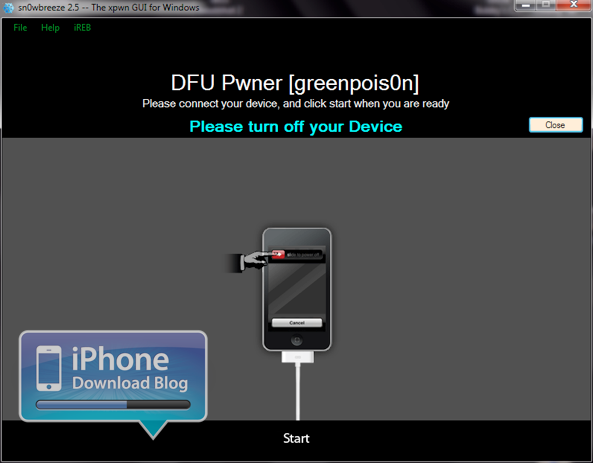
Once your iPhone successfully comes out of DFU mode (it may take a couple of attempts on your part), you should now have an untethered jailbreak on iOS 4.3.1 with hidden multitouch gestures!
Let us know if this tutorial was helpful for you, and what your experience with Sn0wBreeze is like for jailbreaking iOS 4.3.1. What do you think about those multitouch gestures? |
|
|
|
|
|
|
|
|
|
|
|
 发表于 4-4-2011 06:49 PM
|
显示全部楼层
发表于 4-4-2011 06:49 PM
|
显示全部楼层
那么快完美了 |
|
|
|
|
|
|
|
|
|
|
|

楼主 |
发表于 4-4-2011 07:02 PM
|
显示全部楼层
还没有试过 有谁白老鼠, 来分享一下 有谁白老鼠, 来分享一下
|
|
|
|
|
|
|
|
|
|
|
|
发表于 4-4-2011 07:06 PM
|
显示全部楼层
|
这是完美的吗? 有谁jail break 了? 怎么GP没出的? |
|
|
|
|
|
|
|
|
|
|
|
发表于 4-4-2011 09:19 PM
|
显示全部楼层
回复 4# lingboy89
这回4.3.1 redsnow 已经完美。 |
|
|
|
|
|
|
|
|
|
|
|
发表于 5-4-2011 12:28 AM
|
显示全部楼层
还在期待着GreenPoison的推出中...因为之前是用它来越狱v4.2.1的... |
|
|
|
|
|
|
|
|
|
|
|
发表于 6-4-2011 12:35 AM
|
显示全部楼层
|
用这个的话是不是 / partition 有resize过?因为现在 4.3.1的 / 剩下 300MB左右而已。。。 |
|
|
|
|
|
|
|
|
|
|
|
发表于 6-4-2011 12:04 PM
|
显示全部楼层
这个和redsnow不一样吗? |
|
|
|
|
|
|
|
|
|
|
|
发表于 9-4-2011 09:00 AM
|
显示全部楼层
|
|
|
|
|
|
|
|
|
|
|
楼主 |
发表于 9-4-2011 02:49 PM
|
显示全部楼层
|
|
|
|
|
|
|
|
|
|
|
发表于 10-4-2011 06:44 PM
|
显示全部楼层
本帖最后由 lowkey19 于 10-4-2011 07:01 PM 编辑
需要RESTORE先吗???还是直接拿这个来升级? |
|
|
|
|
|
|
|
|
|
|
|
发表于 21-4-2011 09:53 AM
|
显示全部楼层
本帖最后由 C2Mstudio 于 21-4-2011 10:36 AM 编辑
snow的話,不需要restore先的
无赖 发表于 11-4-2011 12:15 AM 
想请问一下。。。我已经用Snowbreeze build了IPSW,但还没得空Restore,如果下次当我Restore的时候,可否直接在iTunes按Shift+Restore(再选回这个Snowbreeze的IPSW),而不要跟Snowbreeze在完成Build IPSW后所教的Enter DFU MODE?
先谢过了 |
|
|
|
|
|
|
|
|
|
|
|
发表于 21-4-2011 10:07 PM
|
显示全部楼层
|
|
|
|
|
|
|
|
|
|
|
发表于 26-4-2011 04:07 PM
|
显示全部楼层
|
不知是否JB的问題, JB后, keyboard任何情况下都不能換(中去英或英去中)語言, 一換就回到到主頁... |
|
|
|
|
|
|
|
|
|
|
|
发表于 27-4-2011 01:44 PM
|
显示全部楼层
|
|
|
|
|
|
|
|
|
|
|
发表于 29-4-2011 09:25 PM
|
显示全部楼层
|
有誰試過改 "root partition size" 有什麼差別 ? |
|
|
|
|
|
|
|
|
|
|
|
发表于 12-12-2011 01:59 PM
|
显示全部楼层
|
|
|
|
|
|
|
|
|
|
|
发表于 14-12-2011 09:54 PM
|
显示全部楼层
还在期待着GreenPoison的推出中...因为之前是用它来越狱v4.2.1的...
C2Mstudio 发表于 5-4-2011 12:28 AM 
我也是用GreenPoison的
4.2.1 好还是4.3.1 ? |
|
|
|
|
|
|
|
|
|
|
|
发表于 14-12-2011 10:22 PM
|
显示全部楼层
回复 23# robinson
V4.3.x比较好吧?因为有Multitouch Gesture ... |
|
|
|
|
|
|
|
|
|
|
|
发表于 14-12-2011 10:28 PM
|
显示全部楼层
回复 24# C2Mstudio
Multitouch Gesture 什么来的?
我的电话 4.2.1 现在每次通完电话 屏幕都停留着很久 |
|
|
|
|
|
|
|
|
|
| |
 本周最热论坛帖子 本周最热论坛帖子
|










 变色卡
变色卡 千斤顶
千斤顶


 1627
1627  117
117

